How to Go Digital in Dentistry: A Guide for Modern Dental Practices
2025-07-05 |
Introduction
The digital wave is sweeping through every industry, and dentistry is riding the current. As traditional methods fall behind, more dental clinics are embracing advanced technology and transforming their workflows for a fully digital future.
With the vast development of digital technologies, dental practices now have the opportunity to modernize their workflows and improve clinical outcomes. From digital scanning to in-clinic production, these tools allow dentists to streamline operations and deliver more predictable, efficient results.
In this article, we explain:
• What it means to go digital in dentistry
• The key technologies involved
• How digital workflows function in daily practice
• Why clinics are making the transition
• What to consider before upgrading your practice
Table of Contents
What Does It Mean to Go Digital in Dentistry?. 2
Why Dental Clinics Are Adopting Digital Technologies. 3
Key Technologies in Digital Dental Practices. 3
Step-by-Step Guide to Going Digital in Your Dental Practice. 4
How Digital Technologies Improve Each Stage of Practice. 5
Benefits of Digital Technologies in Dental Clinics. 5
Challenges and Considerations Before Going Digital 5
Alsharaa Dental Solutions: Supporting Digital Transformation in Iraq. 6
Ready to go digital in your dental practice?. 7
What Does It Mean to Go Digital in Dentistry?
The shift toward digital dentistry is not just a trend—it reflects a broader transformation happening across healthcare. As technology continues to advance, traditional dental workflows are increasingly challenged by the need for greater speed, accuracy, and efficiency. Clinics that rely on manual processes and external laboratory timelines often struggle to keep up with rising patient expectations.
As a result, dental practices are shifting toward more integrated and data-driven workflows that improve how treatments are planned and delivered. Instead of relying on fragmented processes, clinics can now manage cases with greater precision, consistency, and control at every stage.
Key reasons driving this transition include:
- • Faster treatment delivery: Digital workflows reduce turnaround time, allowing for quicker diagnosis, design, and production of restorations.
- • Improved accuracy and consistency: Digital data minimizes human error and ensures more precise, predictable results.
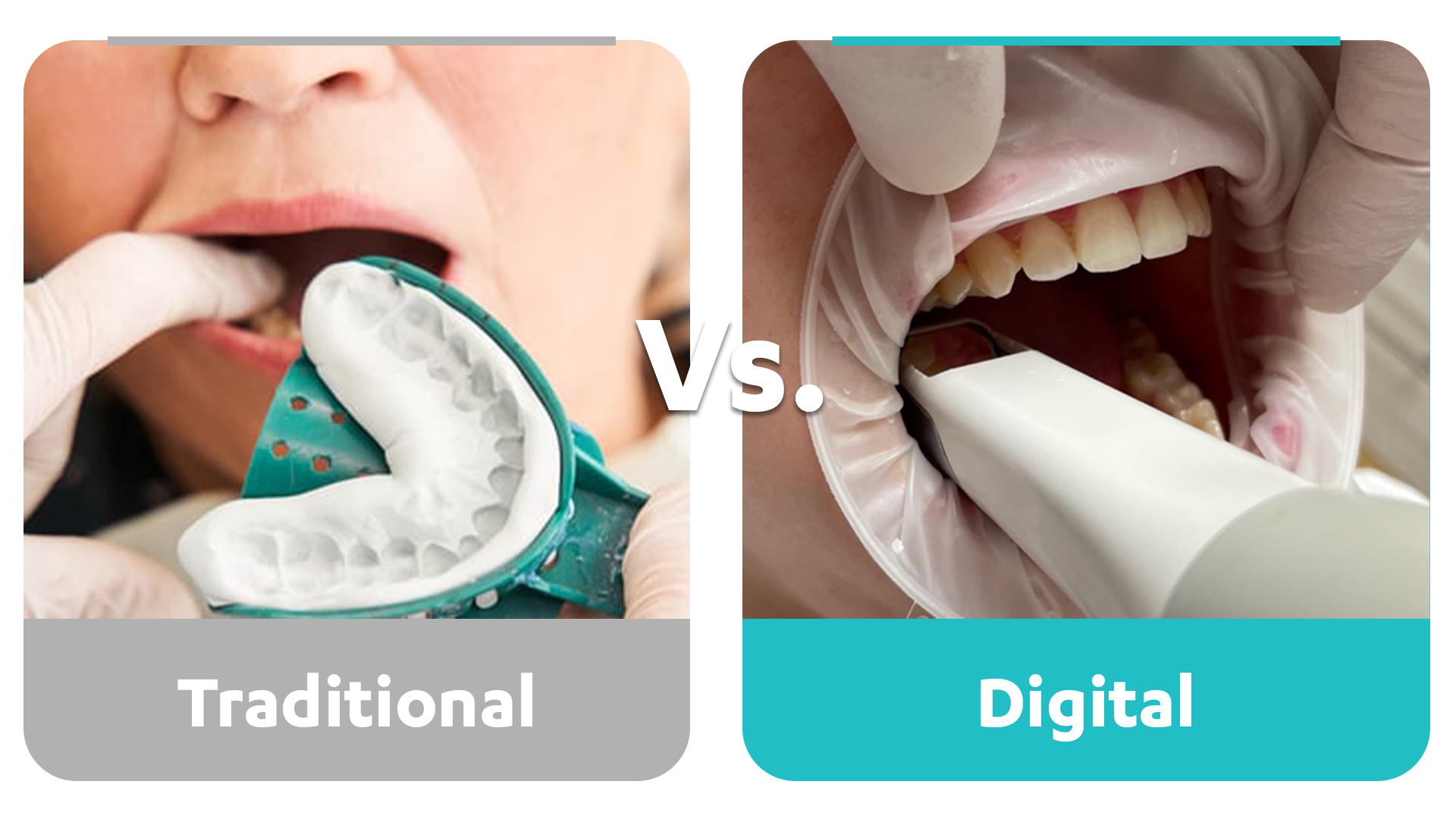
- • Better patient comfort: Replacing traditional impressions with digital scanning improves the overall patient experience.
- • Greater control over treatment processes: Clinics can manage more steps in-house, from planning to production.
- • Reduced reliance on external laboratories: Digital solutions allow for faster communication or complete in-clinic production.
Clinics that adopt digital workflows are better positioned to increase productivity, improve clinical outcomes, and maintain a high standard of care in an increasingly competitive environment.
Why Dental Clinics Are Adopting Digital Technologies
The move toward digital dentistry is driven by the growing demand for greater efficiency, precision, and an improved patient experience.
Key reasons include:
- • Faster treatment delivery
- • Improved accuracy and consistency
- • Better patient comfort
- • Greater control over treatment processes
- • Reduced reliance on external laboratories
Clinics that adopt digital workflows are often able to increase productivity while maintaining a high standard of care.
Key Technologies in Digital Dental Practices
Intraoral Scanners
Intraoral scanners capture detailed 3D images of the patient’s teeth, replacing traditional impression materials and improving both comfort and accuracy.
CAD Design Software
CAD software allows dentists to design restorations digitally with precision, resulting in better fit and functionality.
Milling Machines
Milling machines enable in-clinic production of restorations, reducing turnaround time and improving workflow efficiency.
3D Printing
3D printing is used to create models, surgical guides, and temporary restorations quickly and accurately.
Step-by-Step Guide to Going Digital in Your Dental Practice
Step 1: Evaluate Your Current Workflow
Start by identifying where your clinic faces delays, inefficiencies, or repeated manual work, such as impressions, lab communication, or restoration turnaround time.
Step 2: Define Your Clinical Goals
Decide what you want to improve, whether it is treatment speed, restoration accuracy, patient comfort, or in-clinic production.
Step 3: Choose the Right Digital Technologies
Select the technologies that match your needs, such as intraoral scanners, CAD/CAM systems, 3D printers, or chairside milling solutions.
Step 4: Train Your Team
Make sure dentists and staff understand how to use the new systems effectively so the transition is smooth and productive.
Step 5: Integrate Digital Workflows into Daily Practice
Begin applying digital tools in real clinical cases and adjust your workflow to improve efficiency and consistency.
Step 6: Monitor Results and Expand Gradually
Track improvements in workflow, treatment time, and patient experience, then expand your digital setup based on your clinic’s needs.
How Digital Technologies Improve Each Stage of Practice
|
|
|
Benefits of Digital Technologies in Dental Clinics
For Clinics
- • Faster workflows and reduced treatment time
- • Improved accuracy and consistency
- • Reduced reliance on external laboratories
- • Greater control over treatment planning
- • Increased productivity
For Patients
- • More comfortable procedures
- • Fewer clinic visits
- • Faster treatment completion
- • Better-fitting restorations
Challenges and Considerations Before Going Digital
Before adopting digital technologies, clinics should carefully evaluate several factors to ensure a smooth and successful transition. While the benefits are clear, proper planning helps avoid disruptions and ensures long-term success.
- • Initial investment: Digital equipment such as intraoral scanners, CAD/CAM systems, and milling machines requires a significant upfront cost. Clinics should consider long-term value and return on investment.
- • Training requirements: Dentists and staff need time to learn new systems and workflows. Proper training ensures the technology is used effectively and confidently.
- • Workflow integration: Transitioning to digital workflows may require adjustments to existing processes. Clinics need to align their daily operations with new technologies.
- • Technology selection: Choosing the right tools is essential. Each clinic has different needs, so selecting suitable systems is key to achieving the best results.
- • Maintenance and support: Digital systems require regular maintenance and reliable technical support to ensure consistent performance.
With proper planning, training, and support, these challenges can be managed effectively, allowing clinics to transition smoothly and benefit from digital technologies.
Frequently Asked Questions
Is it difficult to go digital in dentistry?
The transition requires planning and training, but most clinics can adopt digital workflows successfully with the right support.
Does digital dentistry improve accuracy?
Yes. Digital tools provide more precise data, leading to improved clinical outcomes.
Is going digital suitable for all clinics?
Most clinics can benefit from digital technologies, depending on their needs and workflow.
How long does it take to see results?
Many clinics notice improvements in efficiency and workflow within a short time after implementation.
Alsharaa Dental Solutions: Supporting Digital Transformation in Iraq
Alsharaa Dental Solutions supports dental clinics across Iraq in transitioning to modern digital workflows by providing advanced technologies such as intraoral scanners, CAD/CAM systems, 3D printing, and chairside solutions. We help dentists improve clinical performance, increase efficiency, and deliver better patient care.
With a strong focus on practical implementation and continuous support, we work closely with clinics to ensure a smooth and successful transition from traditional methods to fully digital workflows.
We provide the necessary tools and equipment, along with comprehensive guidance and ongoing support, ensuring your clinic is fully prepared and ready to operate with confidence.
Ready to go digital in your dental practice?
Contact Alsharaa Dental Solutions to learn how the right technologies can help you upgrade your practice, improve efficiency, and deliver better patient care.
Share On :
Recent Posts
- Digital Dentistry in Iraq: How Modern Clinics Improve Patient Care
- Top Uses of Digital Dentistry: How Clinics Improve Efficiency and Accuracy
- How to Go Digital in Dentistry: A Guide for Modern Dental Practices
- How AI is Revolutionizing CAD Design for Dentists
- Your Lab Inside Your Clinic: The Smartest Investment You’ll Ever Make
- Premium Crown Resin & Hybrid Ceramic Crowns: Advancing Digital Dentistry in Iraq
- Wet vs Dry Milling: Choosing the Right Method for Chairside Dentistry
- Why Zirconia Cannot Be Used for Same-Day Dentistry in Clinics
- What to Buy First: Scanner, Milling Machine, or 3D Printer?
- Common Challenges in Digital Dental Workflows (and How to Fix Them)
- 3D Printed Crowns: The Future of Fast and Precise Dental Restorations