What to Buy First: Scanner, Milling Machine, or 3D Printer?
2026-07-01 |
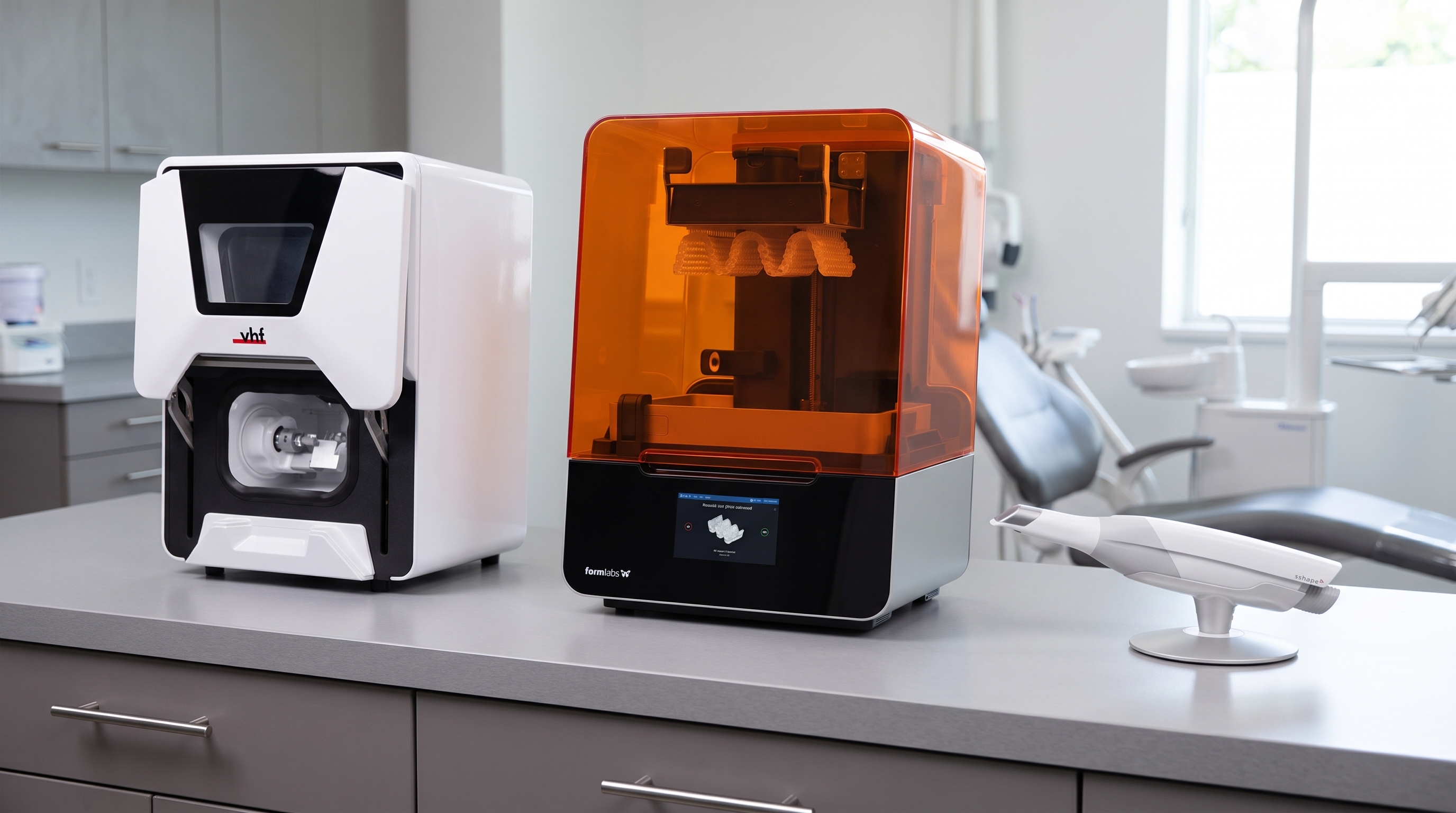
What to Buy First: Scanner, Milling Machine, or 3D Printer?
Introduction
Transitioning to digital dentistry is one of the most impactful decisions a modern dental clinic can make. But with multiple technologies available, many dentists face the same question: where do I start? Should I invest in an intraoral scanner, a milling machine, or a 3D printer first? Each device offers a different set of advantages, and buying in the wrong order can slow your workflow instead of improving it. This article explains how each technology works, what it adds to your clinic, and how to decide which one makes the most sense as your first investment.
Quick Answer: Which Device Should You Buy First?
For most dental clinics starting their digital journey, the intraoral scanner is the recommended first purchase. It is the foundation of every digital workflow. Without a digital intraoral scan, both technologies usually require an additional digitization step, such as scanning a stone model with a desktop scanner, making the workflow slower and less efficient.
In This Article
- Understanding the three technologies
- Why does the intraoral scanner come first
- When to add a milling machine
- When a 3D printer makes sense
- Comparison: Scanner vs Milling Machine vs 3D Printer
- Building your digital workflow step by step
- FAQ
Understanding the Three Technologies
Intraoral Scanner
An intraoral scanner captures a precise 3D digital model of the patient's teeth and soft tissues, replacing traditional physical impressions. The scan is completed chairside in minutes, and the data can be sent to a lab, used in CAD software, or fed directly into a milling machine or 3D printer. Intraoral scanners improve patient comfort, reduce errors caused by impression distortion, and make it possible to communicate digitally with labs and specialists.
Milling Machine (Chairside CAD/CAM)
A dental milling machine carves restorations such as crowns, inlays, onlays, and veneers from ceramic or composite blocks. When connected to an intraoral scanner and CAD software, it allows same-day dentistry, meaning the patient receives the final restoration in a single appointment. Milling machines require an upfront investment and training, but they eliminate lab fees for single-unit restorations and significantly shorten treatment timelines.
3D Printer
Dental 3D printers build objects layer by layer using photopolymer resin. They are widely used for producing surgical guides, study models, temporary crowns, clear aligner models, and custom trays. A 3D printer is highly versatile and relatively more affordable than a milling machine. However, it is not yet the preferred method for producing final ceramic restorations.
Why the Intraoral Scanner Comes First
The intraoral scanner is the entry point to digital dentistry for a clear reason: it digitalizes the most fundamental step in restorative dentistry — the impression. Once you eliminate physical impressions, your entire workflow changes.
Here is what changes immediately after you start scanning:
- No more impression materials, trays, or mess in the clinic
- Immediate visual feedback. You can review the scan with the patient on screen
- Digital files can be sent to any lab in seconds, reducing turnaround time
- Data can be reused across multiple treatments for the same patient
- The scanner becomes the foundation for both milling and 3D printing workflows
Without the scanner, both the milling machine and the 3D printer require a separate digitization step, which means additional cost and an incomplete workflow. Buying a milling machine before a scanner, for example, still requires sending physical impressions or purchasing a separate scanning device. The scanner eliminates this gap.
When to Add a Milling Machine
Once you are comfortable with scanning and digital case planning, a milling machine becomes a powerful next step, particularly for clinics that handle a high volume of single-unit restorations such as crowns and onlays.
A milling machine is the right next purchase if:
- You perform 10 or more crown cases per month
- You want to offer same-day crowns and reduce patient return visits
- You want to reduce dependency on external dental labs for routine restorations
- You already have access to or plan to use CAD design software
Chairside milling gives dentists full control over the restoration from scan to placement, reducing the risk of errors that occur during lab communication and delivery. Patients also benefit from completing treatment in one appointment, which improves satisfaction and reduces missed follow-up visits.
When a 3D Printer Makes Sense
A 3D printer is an excellent second or third investment for clinics that want to expand their services without immediately committing to the higher cost of a milling machine. It is also the first choice for clinics whose primary digital needs are models, guides, and temporary restorations rather than permanent ceramic crowns.
A 3D printer is the right choice if:
- You place implants and want to print surgical guides in-house
- You work with clear aligners and need to produce models quickly
- You want to produce custom impression trays or temporary restorations
- You want to reduce lab costs for models and guides without purchasing a milling machine
3D printing is more efficient, quieter, and easier to learn than milling. The materials are also evolving rapidly, with new resins now approved for longer-term temporary restorations and even some definitive applications.
Comparison: Scanner vs Milling Machine vs 3D Printer
|
Feature |
Intraoral Scanner |
Milling Machine |
3D Printer |
|
Primary use |
Digital impressions |
Ceramic restorations |
Models, guides, temps |
|
Investment level |
Medium |
High |
Low to Medium |
|
Learning curve |
Low |
Medium to High |
Low to Medium |
|
Same-day treatment |
Required step |
Yes (with scanner) |
Partial (temps only) |
|
Replaces the lab? |
Partially |
Yes, for crowns |
Yes, for models/guides |
|
Recommended order |
First |
Second |
Second or Third |
Building Your Digital Workflow Step by Step
Step 1: Start with an Intraoral Scanner
Begin scanning all cases, restorative, orthodontic, and implant. Build familiarity with the digital file, learn to communicate with labs digitally, and identify the most frequent case types in your clinic. This step typically takes 3 to 6 months to integrate fully into your routine.
Step 2: Add Milling or Printing Based on Your Case Mix
If most of your work involves crowns and single-unit restorations, invest in a milling machine next. If you place implants, work in orthodontics, or produce many models, a 3D printer is the more efficient second step.
Step 3: Expand the Workflow
Once both scanning and either milling or printing are established, adding the remaining technology completes a fully integrated digital clinic. At this stage, your clinic can manage restorations, surgical planning, orthodontic models, and temporary solutions entirely in-house.
Frequently Asked Questions
Can I buy a milling machine without an intraoral scanner?
Technically yes, but it is not recommended. Without a scanner, you will need to digitize physical impressions using a separate desktop scanner, which adds cost, time, and a potential source of error. The intraoral scanner and milling machine are designed to work together as a single workflow.
Is a 3D printer good enough for final restorations?
Current dental 3D printing materials are best suited for temporary restorations, surgical guides, models, and orthodontic appliances. For definitive ceramic restorations such as crowns, inlays, onlays, and veneers, milling high-strength ceramic materials remains the gold standard in most clinical settings. This may change as resin materials continue to advance.
How long does it take for a dental clinic to see a return on investment from these technologies?
It depends on the volume of cases and the technology chosen. Intraoral scanners typically show measurable time savings within the first few months. Milling machines require higher case volumes to offset their cost, but clinics performing same-day crowns regularly often recover their investment within one to two years.
Do I need special training to use these devices?
Yes. Each technology requires a learning period. Intraoral scanners are generally the most straightforward to learn, while milling requires an understanding of CAD software and material science. Most manufacturers and distributors offer training programs as part of the purchase.
About Alsharaa Dental Solutions
Alsharaa Dental Solutions is a leading provider of digital dentistry technologies in Iraq, supporting dental clinics in building complete digital workflows. From intraoral scanners to chairside milling systems and 3D printers, Alsharaa offers professional consultation, hands-on training, and after-sales support to help clinics transition at their own pace and in the right order.
Ready to Start Your Digital Journey?
Not sure which device fits your clinic's current needs? Contact Alsharaa Dental Solutions for a consultation. The team can assess your case mix, budget, and workflow goals to recommend the right starting point, so that your first investment moves your clinic in the right direction from day one.
Share On :
Recent Posts
- Digital Dentistry in Iraq: How Modern Clinics Improve Patient Care
- Top Uses of Digital Dentistry: How Clinics Improve Efficiency and Accuracy
- How to Go Digital in Dentistry: A Guide for Modern Dental Practices
- How AI is Revolutionizing CAD Design for Dentists
- Your Lab Inside Your Clinic: The Smartest Investment You’ll Ever Make
- Premium Crown Resin & Hybrid Ceramic Crowns: Advancing Digital Dentistry in Iraq
- Wet vs Dry Milling: Choosing the Right Method for Chairside Dentistry
- Why Zirconia Cannot Be Used for Same-Day Dentistry in Clinics
- What to Buy First: Scanner, Milling Machine, or 3D Printer?
- Common Challenges in Digital Dental Workflows (and How to Fix Them)
- 3D Printed Crowns: The Future of Fast and Precise Dental Restorations